
Aviator - Original Spribe Plane & Multiplier Game Online
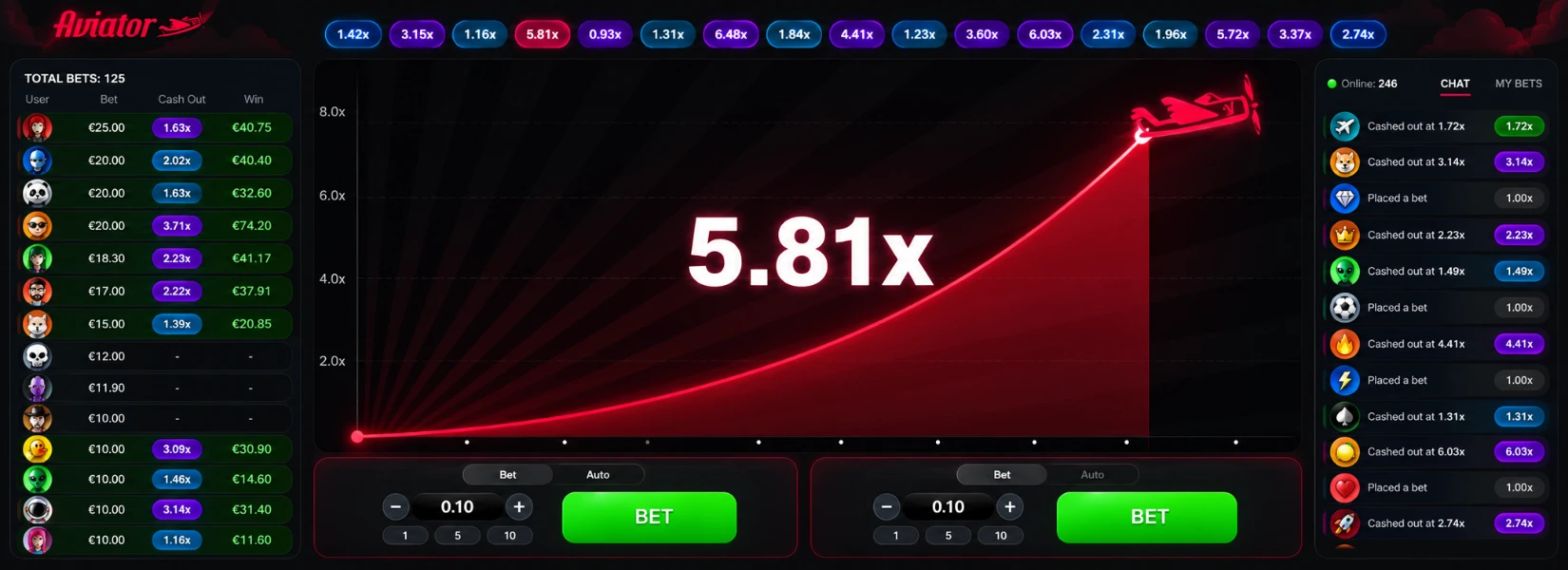
Welcome to Aviator Game, here every round starts with the takeoff of the famous red plane. Place your bet before the flight begins, watch the multiplier rise from 1.00x, and choose the right moment to cash out before the plane flies away.
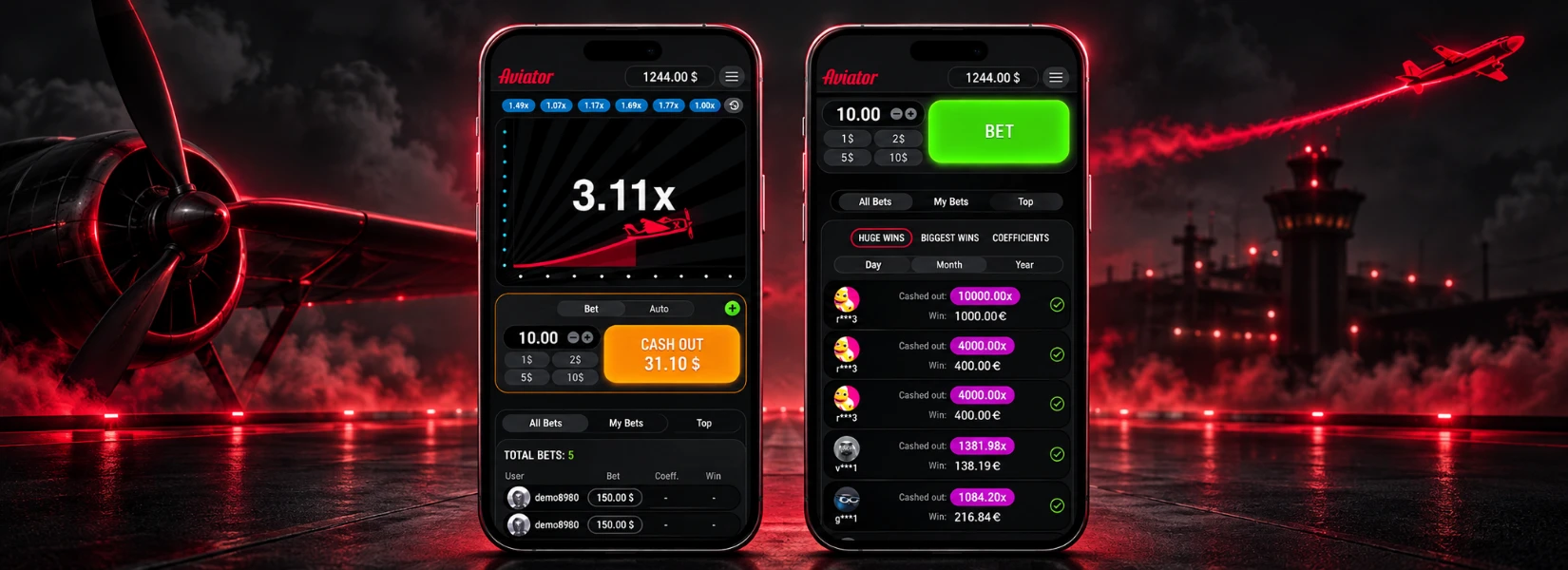
Launched in 2019, Aviator is a fast social multiplayer game with a 97% RTP and simple crash-style gameplay. Play Aviator on mobile, tablet, or desktop and follow every flight through a clear, easy-to-use game screen. With 2 bet panels, Auto Bet, Auto Cash Out, live bets, statistics, and chat, everything you need stays within easy reach.
What Is the Aviator Game?
Aviator is a crash-style casino mini game from SPRIBE. It replaces the usual slot reels and card tables with a simple flight-based format. Each round has an unknown endpoint, so players do not know how long the flight will continue.
The main idea centers on timing. Once a round starts, the value changes as the flight continues. Players decide when to end their active bet rather than waiting for a fixed result at the end of the round.
As a result, Aviator feels different from traditional online casino games. Short rounds, real-time decisions, and an unpredictable flight endpoint create a simple format that is quick to understand without complex game rules.

Aviator Platform Overview
| Feature | Aviator Detail |
|---|---|
| Developer | SPRIBE |
| Official Platform | https://www.aviatorgameco.com/ |
| Game type | Social multiplayer mini game / crash game |
| Published RTP | 97% |
| Starting multiplier | 1.00x |
| Bet panels | Up to 2 simultaneous bet panels |
| Main controls | Bet, Cash Out, Auto Bet and Auto Cash Out |
| Devices | Desktop, tablet and mobile |
How to Play Aviator Game
Aviator Game uses a short round cycle. Start with a stake, follow the live multiplier and cash out before the plane leaves the screen. The steps below explain the full flow.
- Choose your stake in the bet panel before the next flight starts.
- Press Bet to enter the upcoming Aviator round.
- Watch the plane take off as the multiplier rises from 1.00x.
- Press Cash Out while your bet remains active and before the flight ends.
- Check the completed result in your game history or bet record.
A cash-out completes the bet at the multiplier shown at that moment. If the plane flies away before cash-out, the active stake does not return a payout for that round. Every new flight starts a fresh round.
Understand the Aviator Multiplier
The multiplier sits at the center of the Aviator game. It begins at 1.00x and keeps moving upward while the plane remains in flight. A higher number increases the value of a successful cash-out, but the round could also end before the player acts.
For a simple example, a ₹100 stake closed at 1.50x produces a ₹150 total return. A ₹100 stake closed at 2.00x produces a ₹200 total return. These figures show the basic calculation only. They do not predict how long any future Aviator plane will stay in the air.
Past multipliers help you review completed flights. However, earlier results do not reveal the next crash point. Treat the history panel as a record, not a forecast.
Original Aviator by SPRIBE
Aviator is the original SPRIBE game, created with a distinct flight-based design and real-time multiplayer experience. As the developer behind Aviator, SPRIBE defines the game mechanics, visual identity, fairness system, and core gameplay that players recognize worldwide.
Who Developed Aviator?
SPRIBE developed Aviator as part of its next-generation game portfolio. Rather than following a traditional casino format, the company created a simple flight concept built for quick interaction and social play.
The result is a distinctive game experience that is easy to recognize. Its red aircraft, flight curve, live interface, and clean layout form the identity of the original Aviator game.
Original Aviator vs Similar Plane Games
Today, several online casino games feature planes, rockets, aircraft, or rising values. However, a similar concept does not make those titles SPRIBE Aviator.
The provider name offers the clearest way to tell the difference. When you open Aviator, check the game details for SPRIBE rather than relying only on the aircraft design or game name. This simple check helps you distinguish the original product from similar crash-style games.
Top Features of Aviator Game
Aviator keeps the game screen simple while placing the main controls and live information within easy reach. From flexible bet settings to social tools, each feature helps you manage and follow your rounds without moving through complex menus.
Two Bets in One Round
Use 2 separate bet panels during the same Aviator round. Set a different stake on each panel and manage both positions on their own. This setup lets you use separate cash-out choices for Bet 1 and Bet 2.
Manual Cash Out
Take direct control of an active bet with Cash Out. Select the button before the flight ends, and we settle your bet using the multiplier shown at that point.
Auto Cash Out
Choose a target multiplier before the round starts and let Auto Cash Out handle the action. Once the flight reaches your selected value, the feature closes the active bet automatically. If the plane leaves earlier, the target does not activate.
Auto Bet
Use Auto Bet when you want the same selected stake placed across upcoming rounds. This feature reduces repeated clicks and keeps your chosen setup ready. However, automatic betting does not improve the odds or guarantee a return.
Live Bets
Follow current player activity through the Live Bets area. It displays bets and cash-out activity as the round develops, adding a real-time social element to Aviator gameplay.
My Bets
Keep track of your own activity under My Bets. Here, you can review recent stake amounts, completed rounds, cash-out multipliers, and results without mixing them with other players' activity.
Round History
Check previous flight multipliers through Round History. The record provides a quick view of completed rounds and helps you confirm past results. However, earlier multipliers do not reveal the outcome of the next flight.
Live Chat
Join the conversation through Live Chat while Aviator rounds continue. This feature connects the multiplayer community directly from the game interface without interrupting the main flight screen.
Live Statistics
Explore Live Statistics to view game activity and notable results in one place. Aviator also includes leaderboard views across daily, monthly, and all-time periods, making it easier to follow wider player activity.
Rain Promo
Rain adds a promotional element to Aviator chat where supported. Free bets drop at random times, and eligible players get the opportunity to claim an available reward directly through the chat feature.
Aviator 2.0 - Faster, Lighter and Better for Mobile
We introduced Aviator 2.0 with a faster and lighter game experience. The update improved performance by 40% compared with the earlier version, while better optimization supported smoother gameplay on slower connections and lower-end devices.
We also refined the mobile interface, refreshed the visuals, and redesigned the in-game chat. Emojis, GIFs, and the Rain feature added more ways for players to interact during live rounds.
Today, Aviator continues that focus on fast loading, responsive screens, and simple controls across mobile and desktop devices.
Aviator Signup - Create Your Account
New to Aviator? Create your account on our platform and get direct access to the original SPRIBE Aviator game. Registration takes only a few simple steps.
Aviator Signup Steps
- Visit our official website.
- Click Aviator Register.
- Enter your mobile number and required details.
- Verify your number with the OTP.
- Create a secure password.
- Complete registration and access your account.
Once registered, use the same account details for Aviator Login on supported devices.
Aviator Login - Fast and Secure Account Access
Already have an account? Open Aviator Login and enter your registered details to access your dashboard. From there, you can open the original SPRIBE Aviator game and manage your account from one place.
Aviator Login Steps
- Open our official website.
- Click Login.
- Enter your registered mobile number or User ID.
- Type your password.
- Complete the security check if required.
- Enter your account and open Aviator.
Forgot your login details? Use the available recovery option or contact our support team for account assistance.
Aviator Customer Support - Help When You Need It
Our Aviator Customer Support team assists with account access, payments, verification, and technical questions. Use the official support options available on our website or inside your account.
We help with:
- Signup and Aviator Login issues
- User ID and password recovery
- OTP and account verification
- Deposit and withdrawal status
- Bonus and promotion questions
- Aviator game access
- Mobile and device support
For your security, never share your password or OTP. Our support team only requests the information needed to review and resolve your issue.
How to Download the Aviator App
Access Aviator Game on your phone with the Aviator App and supported mobile options. Explore Aviator bet app download and Aviator 2.0 APK options with fast loading, responsive controls, and smooth gameplay.
For Android Users:
- First, visit the official Aviator Game website at www.aviatorgameco.com.
- Then, open the Aviator app download section.
- Download the available Aviator APK from the official access option.
- After that, allow installation from the required source in your Android settings.
- Finally, install the app and open Aviator Game to start playing.
For iOS Users:
- Alternatively, open Safari on your iPhone and visit the official website.
- Then, open the Aviator game page.
- Select Add to Home Screen from the Safari sharing options.
- Finally, launch Aviator directly from the new Home Screen icon for an app-like experience.
Aviator Demo - Learn the Controls Before Real-Money Play
Try the Aviator Demo to explore the game before moving to real-money play. Our demo mode lets you get familiar with the game screen, betting options, flight activity, and cash-out timing without using real funds.
Use your practice rounds to explore Bet, Cash Out, Auto Bet, Auto Cash Out, Live Bets, and game history. You will also see how each round develops once the flight begins. However, demo results do not predict or influence future real-money rounds.

Aviator Deposit - Add Funds and Start Playing
Fund your Aviator wallet through the Deposit section. We support popular payment options such as UPI, Google Pay, PhonePe, Paytm, IMPS, Net Banking, bank transfer, cards, and supported e-wallets.
How to Deposit
- Log in and open Wallet.
- Select Deposit.
- Choose a payment option.
- Enter your amount.
- Review and confirm the payment.
- Check your updated balance.
UPI and digital payments usually process faster, while bank transfers could take longer. Before paying, check the minimum deposit, maximum limit.
Aviator Withdrawal - Withdraw Your Winnings
Ready to cash out? Open Withdraw from your Aviator wallet and select an available payout option, including UPI, Bank Transfer, IMPS, Net Banking, or supported e-wallets.
How to Withdraw
- Open Wallet and select Withdraw.
- Choose your payout method.
- Enter the withdrawal amount.
- Confirm your payment details.
- Complete verification if required.
- Submit and track your request.
Most Aviator withdrawals reach your account within 5 minutes. However, bank transfers could take longer depending on the bank and processing time. We charge only a 1% withdrawal fee, so you always know the cost before completing your payout request.
Aviator Game - Fair Play & Transparency
The Aviator platform uses Provably Fair technology to make game results transparent and verifiable. Before a round starts, the system creates a random 16-character server seed and makes its SHA-256 hash available. Player seeds then take part in generating a SHA-512 hash, which connects the cryptographic data with the completed result.
This system lets you check a finished round rather than simply trust what appears on screen. However, Provably Fair verification does not reveal the next multiplier or predict when a future flight will end.
Game History and Verification
Open your game history and select the Provably Fair option for a completed round. You can review the server seed, player seeds, combined hash, and final result to verify the integrity of that round.
Aviator Bet Controls Explained
| Control | What It Does |
|---|---|
| Bet | Place the selected stake into the next available round. |
| Cash Out | Closes an active bet before the flight ends. |
| Auto Bet | Repeats the configured stake across future rounds according to the selected setup. |
| Auto Cash Out | Closes an active bet at the selected target if the multiplier reaches it. |
| Second Bet Panel | Adds a separate second bet with its own stake and cash-out decision. |